
2 Products Tagged

Live View In Smartphone App HD Video Recorder Home, Office
Pull off the protective film and you won't see any scratches. The front cover can be removable. You can take it apart and wipe it. 2: If you don't know how to set up the WIFI, you can search "V380 PRO" in YouTube, there have many videos about this App on YouTube. Notice 1: When you cannot find the WIFI or the camera can't connect with the WIFI. Please reset the camera. Q: How to reset the camera? A: Long press the reset key about 10-15 seconds, The camera will restore the factory setting. How to setup up the WIFI? 1: Download the "V380 PRO" App in " Google Play " or " App Store “. 2: Insert the Micro SD card 3: Open the camera. 4: Wait about 1-2 minutes. Open your phone WLAN, you will find the WIFI: “MV... ”, Then connect this WIFI with with your phone, no password required. 5: Open the " V380 PRO" App.
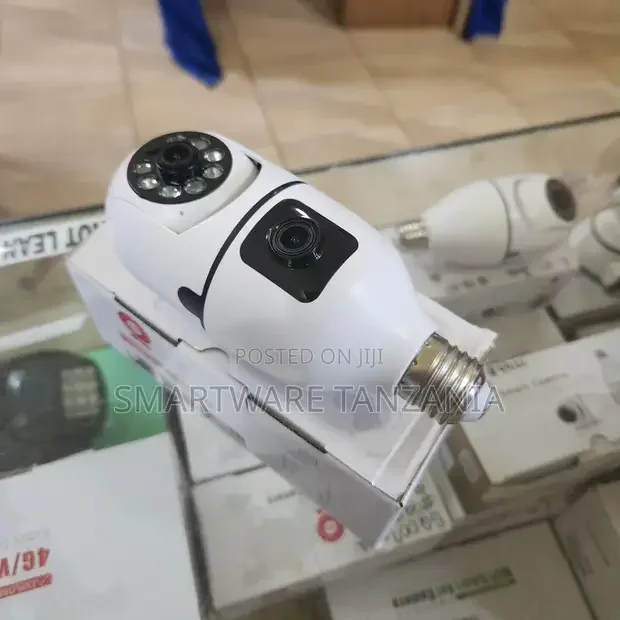
2-in-1 Dual Lens Dual Screen Bulb Wifi Wireless 4MP HD Live
pkst :- [dual lens, dual screen supercam]: experience unparalleled coverage with the innovative 2-in-1 design. equipped with both a high-resolution bullet camera and a pan-tilt-zoom (ptz) camera, you can monitor two areas simultaneously or focus on one area with dynamic control pkst :- [crisp 4mp hd live view]: enjoy crystal-clear imagery with the 4mp high-definition resolution. whether you're checking in on your home, office, or surroundings, the supercam's hd live view ensures you never miss a detail. pkst :- [wireless connectivity with dual wifi bands]: stay connected effortlessly with dual-band wifi (2.4ghz and 5ghz) support. this ensures stable and reliable streaming, even in crowded network environments, providing you with uninterrupted access to your camera feed.